### Author:  [@NickTheNick](https://forum.revolutionarygamesstudio.com/u/NickTheNick)
#### Post date: [August 18, 2022, 8:04pm UTC](https://forum.revolutionarygamesstudio.com/t/background-blur/934/1 "2022-08-18T20:04:52Z")
Realized this deserves a forum thread to centralize it’s discussion.
## Background
We’ve talked a lot in the past about using blur, fog, and 3D objects in other layers, among other tricks, to add a lot of realism and depth to the visuals of the Microbe Stage. Some of these changes could take a lot of graphics manpower. HH currently has such a feature slotted for the 0.8.x releases.
However I think there are some quick and easy fixes we could make right now that could improve the background visuals a lot until we reach the 0.8.x releases.
> **Remember when the game looked like this?**
>
> 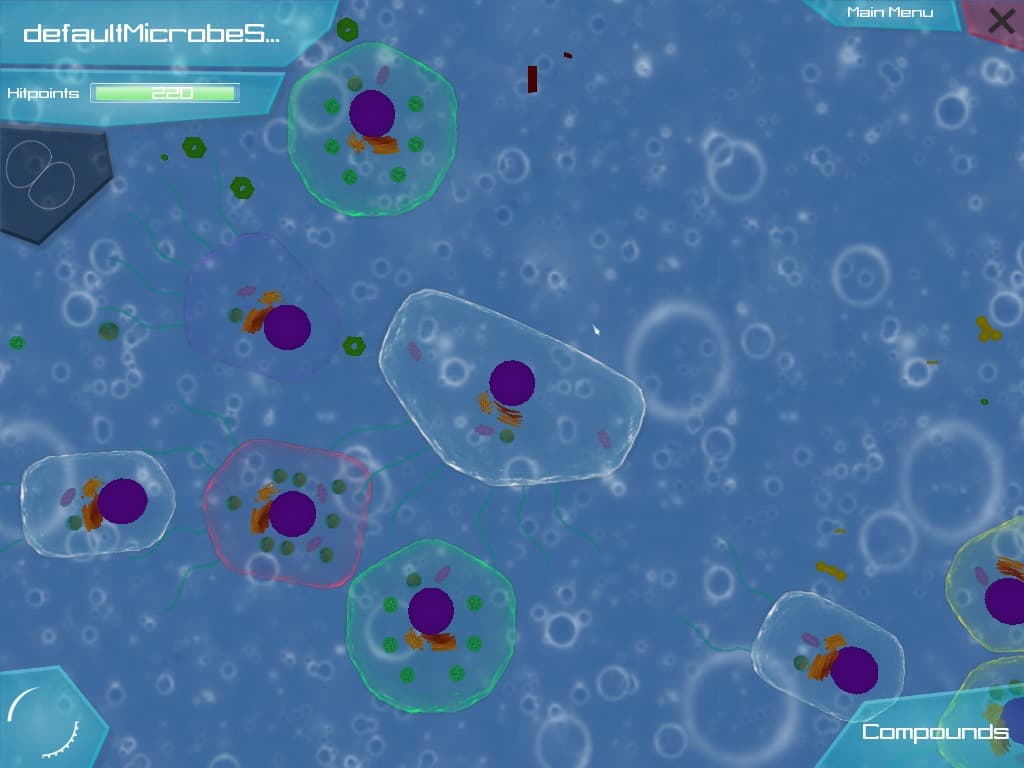
We weren’t very versed in microbial biomes or graphics back then, and had a feeling something was off but weren’t sure what. Eventually we noticed that one of the reasons is that the farthest layers at the back were as crisp as the player’s layer right up front. This made it look like the cells were just floating in the air above a bubbly wallpaper, not that they were submerged in an underwater environment. At the time I created the “Blurred Backgrounds Mod” to showcase how much blur would help.
> **[Blurred Backgrounds Mod](https://community.revolutionarygamesstudio.com/t/blurred-backgrounds-mod/204/4)**
>
> BTW you can use this link with dThriveLauncher that I’ve made to avoid hassling with the game files and also to avoid the need of creating a backup. https://download794.mediafire.com/l06q5i2ye4cg/9sfz7gan0joud94/Blurred+BG+Mod.zip Copy the link...
And it had good reception. But then I left and rejoined the project several times, worked on different tasks, and didn’t follow up with implementing blur. We also had a new set of more detailed backgrounds drawn and added which looked much better than before.
> **The Coastal biome**
>
> 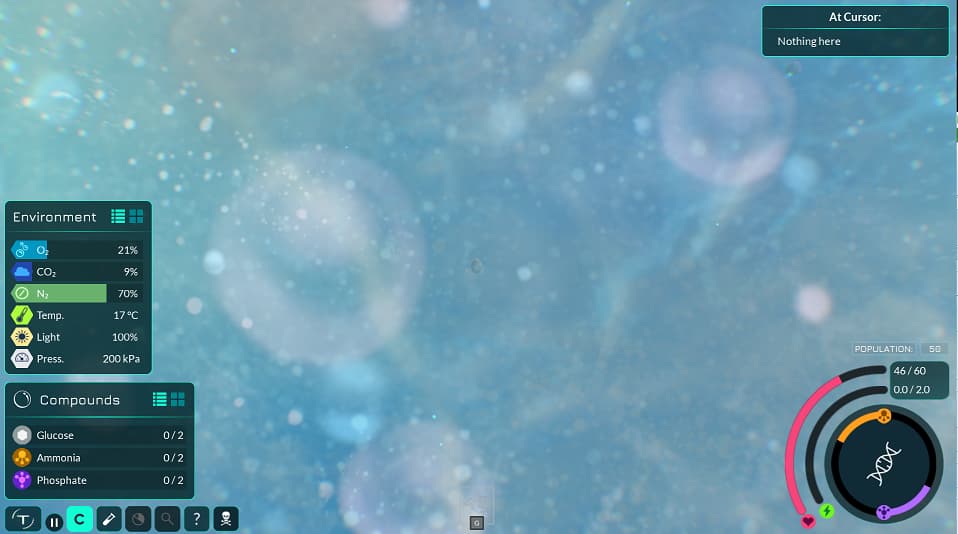
Much much better than before. Lots of variation in bubble sizes and colours as well. One downside though, is that there is still a high level of detail in distant objects, which still gives the cell this airy feeling of looking like their floating through the air above a distant wallpaper. Water would blur the distant objects.
## Pitch
And so I think Blur, alongside Fog, parallax, and background 3D objects, is one of the best ways we can achieve depth and realism in the Microbe Stage’s visuals. Creating shaders and filters to apply blur to objects based on their distance to the screen will likely be difficult and taxing on the performance, **so for now what if we just pre-blurred the background layers? And pre-blurred any objects we know will always be in the background?**
It literally only takes me a few seconds to import any layer into GIMP, and apply some level of blur to it. So it’s a really fast task I could work on to not add work to any other peoples’ plates. Here are the concepts I was looking at to understand how much blur to add:
## Concept
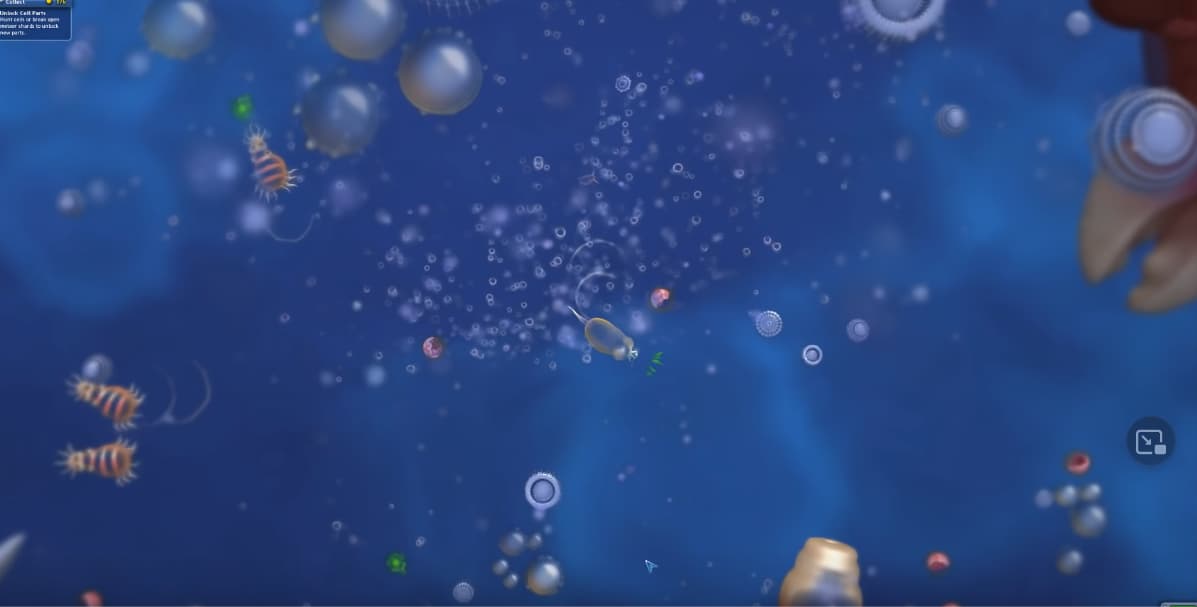
> **First, of course, Spore. Notice how the most distant objects are the most blurred. In Thrive, this would be the base background layer at the very back. Another thing Spore does well is that as you get larger, the camera zooms out, but the blur level of the background doesn't change, so it actually makes the looming distant objects slowly become more and more visible, showing that you are approaching macroscopic size and leaving the microscopic world.**
>
> 
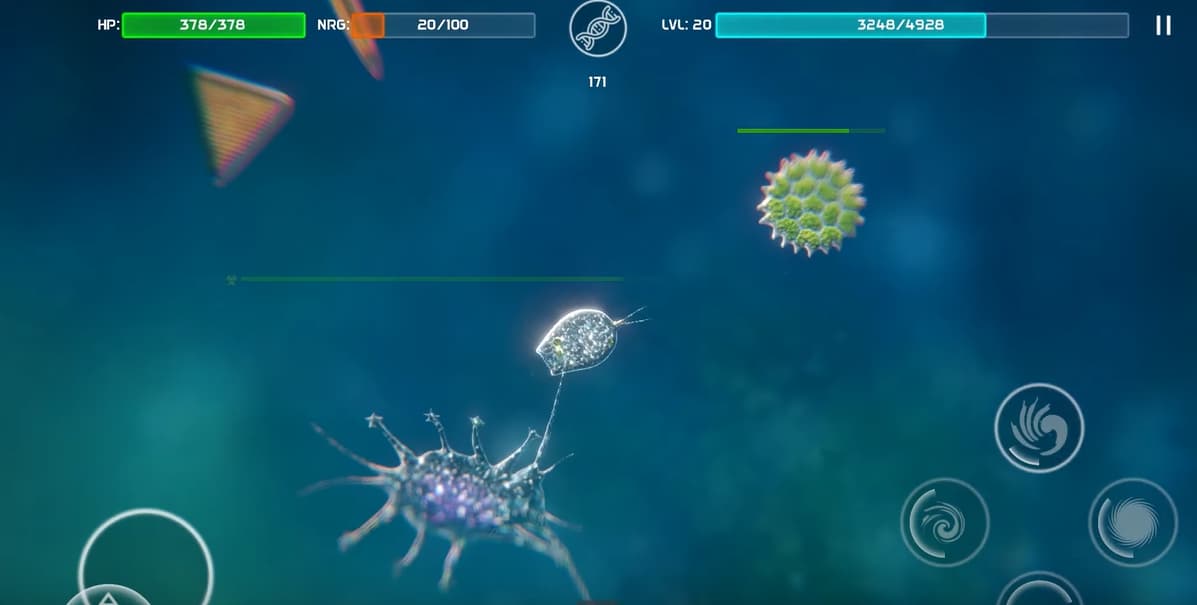
> **Next, Bionix. Again does a good job of having the most distant objects blurred.**
>
> 
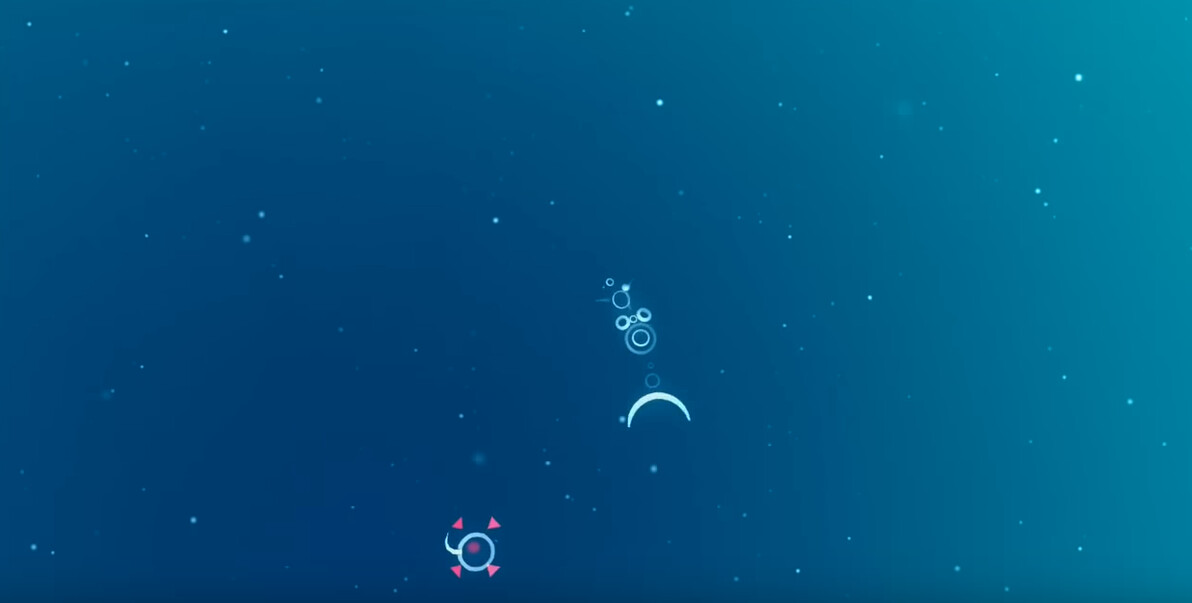
> **Next, flOw. They go a step further, they don't even have objects in the background. They instead just have large swaths of colour that blur into one another. This gives you the impression that the ocean is so deep below you that there are not even any visible objects. This could be a really good technique to add depth to the ocean surface biomes, as you will be looking down into the abyss of the deep ocean below you.**
>
> 
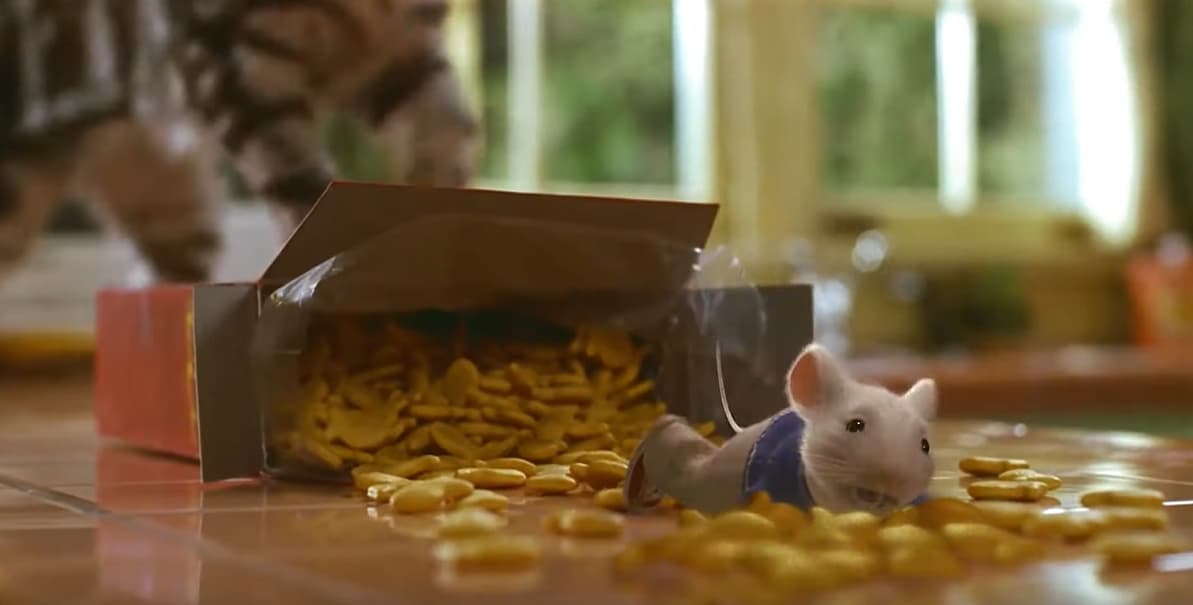
> **Next, surprisingly enough, Stuart Little. Just to show you that Graphics and Animation teams even outside of the microbiological setting consistently use blur and focus to show differences in scale and distance.**
>
> 
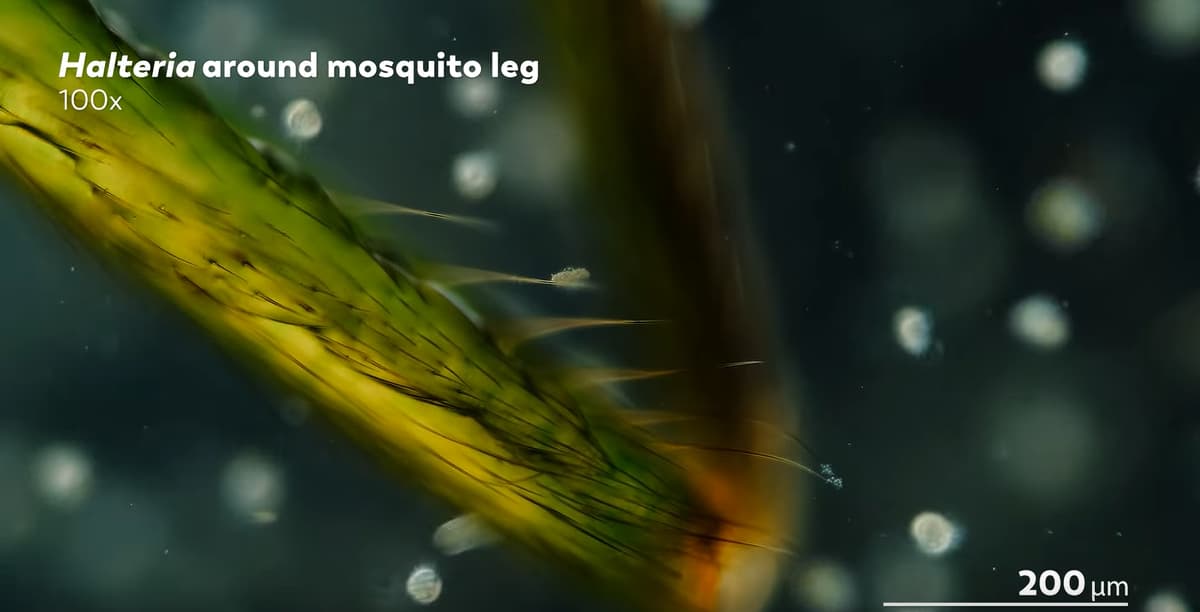
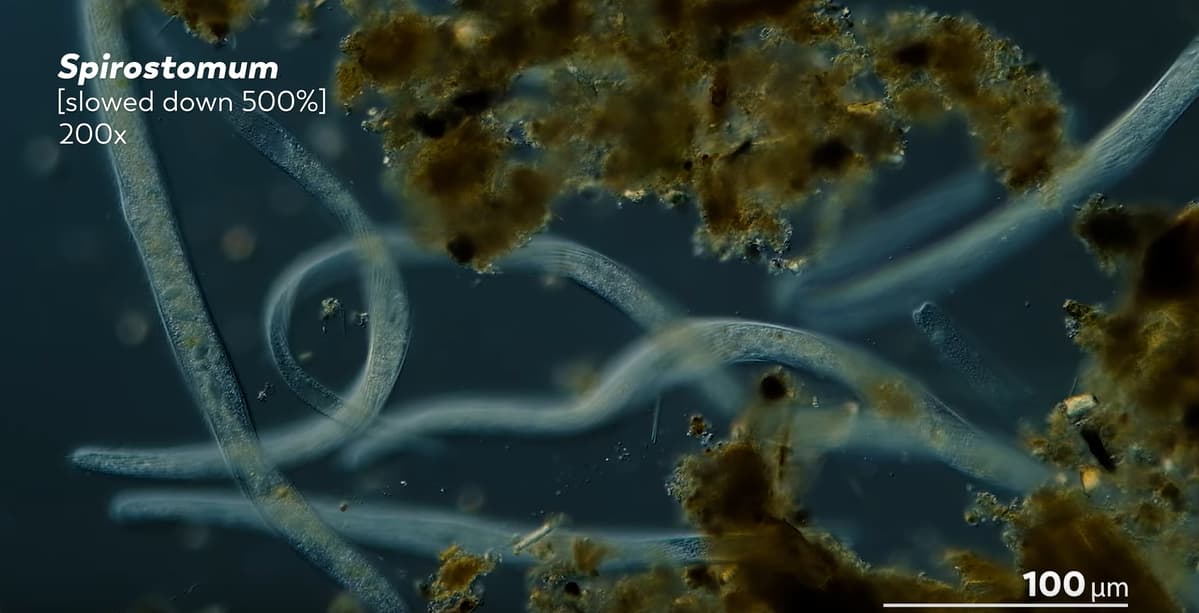
> **And the best source of all, actual microscopic environments.**
>
> 
> 
## Testing
To accomplish the blurred look I loaded up the background images of the Tidepool biome into GIMP and applied a 20.0 point Gaussian blur. I applied progressively less to each layer above the far back layer, and this was the result:
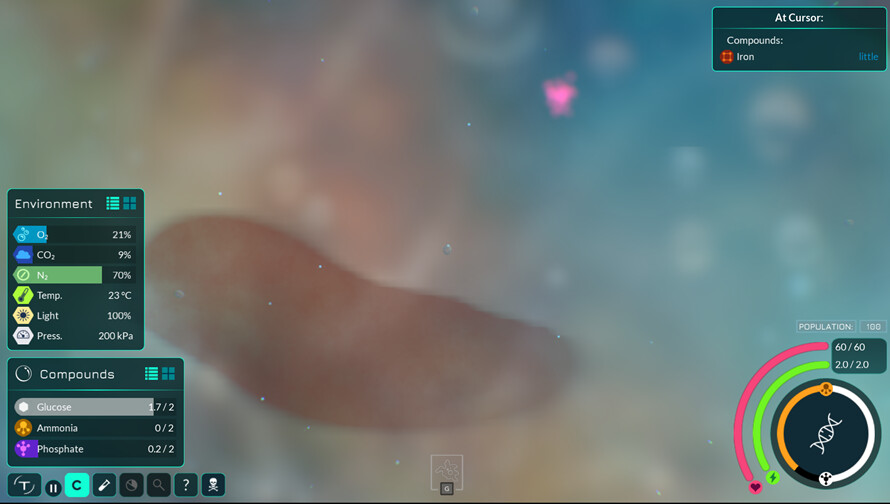
I created a Draft PR so that others can test these changes. However, I made a mistake in the process and accidentally undid the blur to every layer except the far back, so only the far back layer is blurred right now. I also used a different tool to blur (which prevents tiling issues) which I think was a lot stronger. This is what it looks like as a result:
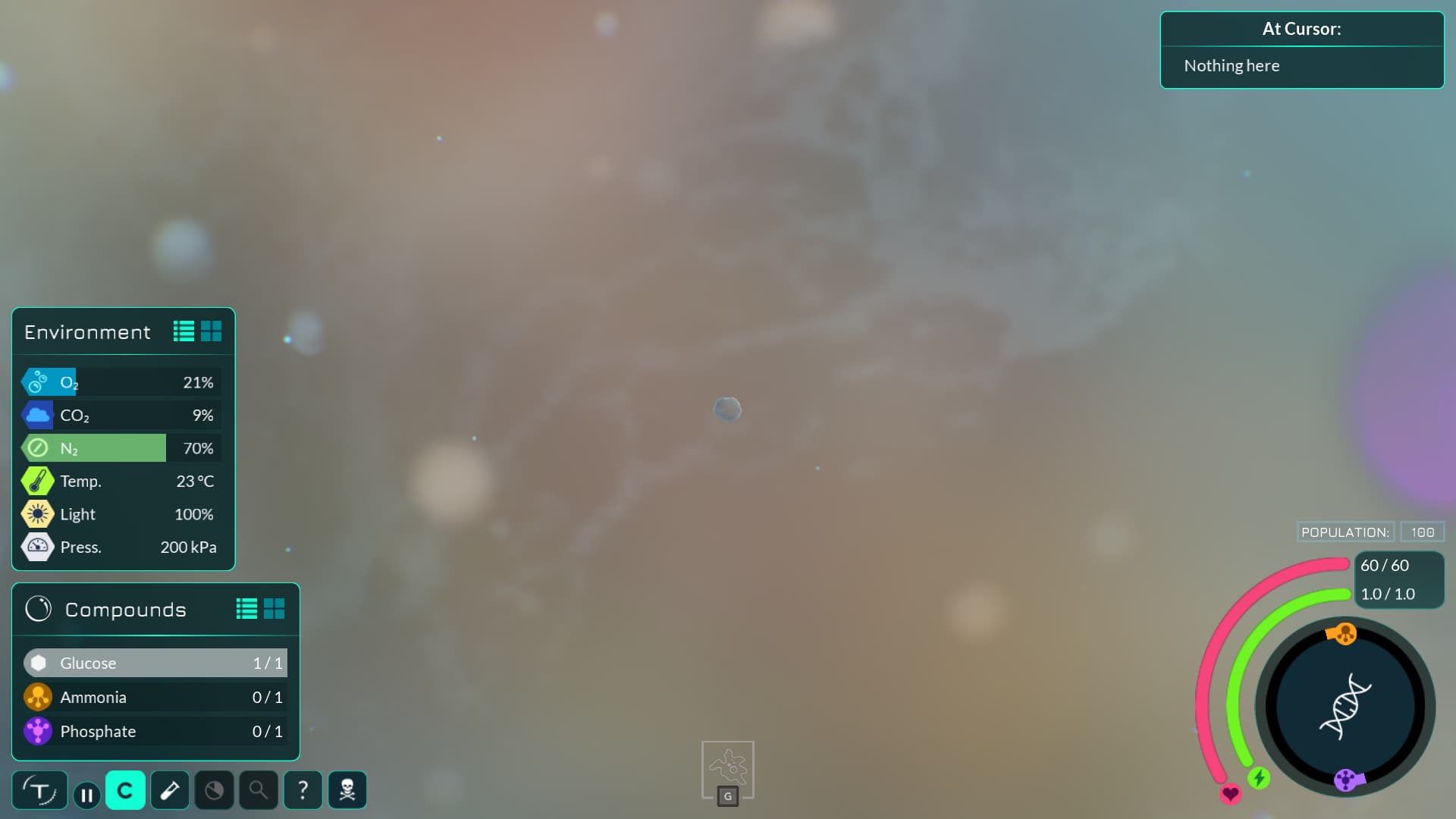
You can test the PR here:
>
>
> \*\*Brief Description of What This PR Does\*\*
>
> This PR initially just replaces th…e Tidepool background with a blurred version. Make sure to use the "Warm Little Pond" start setting to spawn directly in the tidepool and test it right away.
>
> !\[image\](https://user-images.githubusercontent.com/110012298/185461750-64a40f12-4508-4dc2-ad06-29b9b8ab67d1.png)
>
> The intent of blurring the background is to:
>
> \- Make the player feel smaller by having the background be out of focus
> \- Make the background look more like water by having it be blurred
> \- Increase the player's ability to discern objects on the midground (player's layer)
>
> What I have left to do when I have time:
>
> \- \[x\] Fix the tiling issues
> \- \[\] Add blur (but progressively less for each layer) to the other background layers closer to the camera
> \- \[\] Add blur to the other biomes
>
> \*\*Related Issues\*\*
>
> N/A
>
> \*\*Progress Checklist\*\*
>
> Note: before starting this checklist the PR should be marked as non-draft.
>
> \- \[\] PR author has checked that this PR works as intended and doesn't
> break existing features:
> https://wiki.revolutionarygamesstudio.com/wiki/Testing\_Checklist
> (this is important as to not waste the time of Thrive team
> members reviewing this PR)
> \- \[\] Initial code review passed (this and further items should not be checked by the PR author)
> \- \[\] Functionality is confirmed working by another person (see above checklist link)
> \- \[\] Final code review is passed and code conforms to the
> \[styleguide\](https://github.com/Revolutionary-Games/Thrive/blob/master/doc/style\_guide.md).
>
> Before merging all CI jobs should finish on this PR without errors, if
> there are automatically detected style issues they should be fixed by
> the PR author. Merging must follow our
> \[styleguide\](https://github.com/Revolutionary-Games/Thrive/blob/master/doc/style\_guide.md#git).
Please let me know what you think. Based on your feedback, I can change the level of blur. I can also change how I blur the layers between the far back and the player.
---
### Author:  [@NickTheNick](https://forum.revolutionarygamesstudio.com/u/NickTheNick)
#### Post date: [August 18, 2022, 8:09pm UTC](https://forum.revolutionarygamesstudio.com/t/background-blur/934/2 "2022-08-18T20:09:16Z")
For reference, Oliver left feedback on that PR which I’ll copy here:
> [@](#):
>
> Although the idea behind this makes sense, I think that because the game has spent so long with detailed backgrounds, the rest of the visuals don’t really mesh with this all that well. Foreground elements (especially clouds and cell membranes) are all quite blurred and wishy-washy too, so together you kind of end up with a big mush. It’s not bad, but I definitely prefer the current backgrounds.
I can try reducing the blur applied the far back layer with the new blurring tool I’m using. I think that should help. I can also apply progressive blur to the other middle-background layers since I think that is what makes it look odd that some things are blurry and some are not.
---
### Author:  [@hhyyrylainen](https://forum.revolutionarygamesstudio.com/u/hhyyrylainen)
#### Post date: [August 19, 2022, 7:15am UTC](https://forum.revolutionarygamesstudio.com/t/background-blur/934/3 "2022-08-19T07:15:18Z")
I agree with this feedback. I think it makes the overall visual impression a blurry mess with very contrasting foreground objects that clearly don’t seem to blend well with the backgrounds in visual cohesion. So I’m not really very keen on this change.
I suggested on discord that this could be made into a graphics option (disabled by default) and if we release that I think we can then gather more feedback and then decide if it should become the default.
---
### Author:  [@NickTheNick](https://forum.revolutionarygamesstudio.com/u/NickTheNick)
#### Post date: [August 19, 2022, 7:32am UTC](https://forum.revolutionarygamesstudio.com/t/background-blur/934/4 "2022-08-19T07:32:38Z")
Yeah I’m going to apply the blur to all the other background elements as well, and then also reduce the overall amount since I’m using a stronger tool. I’ll update the PR and then we can playtest with that.
I think the graphics option idea is a good idea. Would be interested to hear what fans think of it.
---
### Author:  [@MirrorMonkey2](https://forum.revolutionarygamesstudio.com/u/MirrorMonkey2)
#### Post date: [August 19, 2022, 8:43am UTC](https://forum.revolutionarygamesstudio.com/t/background-blur/934/5 "2022-08-19T08:43:33Z")
Making it optional is a great idea! That way we can get a broad feedback on it and nothing is lost for the people who like the original background.
Once we have fleshed out the graphics for the 3D environment, we may come back anyways to revise the microbe background to get them more in line with the later graphics. But just as the classic map layout is still an option, I think the classic backgrounds should always remain as an option.
---
### Author:  [@Kasterisk](https://forum.revolutionarygamesstudio.com/u/Kasterisk)
#### Post date: [August 19, 2022, 9:04am UTC](https://forum.revolutionarygamesstudio.com/t/background-blur/934/6 "2022-08-19T09:04:37Z")
With the convenience of the new suggestions board, I made a new post there so that readers may vote on whether they agree with adding background blur: [Add blurring to backgrounds · Thrive Suggestions](https://suggestions.revolutionarygamesstudio.com/posts/119/add-blurring-to-backgrounds).
---
### Author:  [@NickTheNick](https://forum.revolutionarygamesstudio.com/u/NickTheNick)
#### Post date: [August 19, 2022, 8:11pm UTC](https://forum.revolutionarygamesstudio.com/t/background-blur/934/7 "2022-08-19T20:11:52Z")
Alright I applied some changes to the Draft PR. 4x less blur to the base background, and added blur but to lesser and lesser degrees to the layers between that and the player. You can tell what layers the bubbles are on by how much they’re blurred.
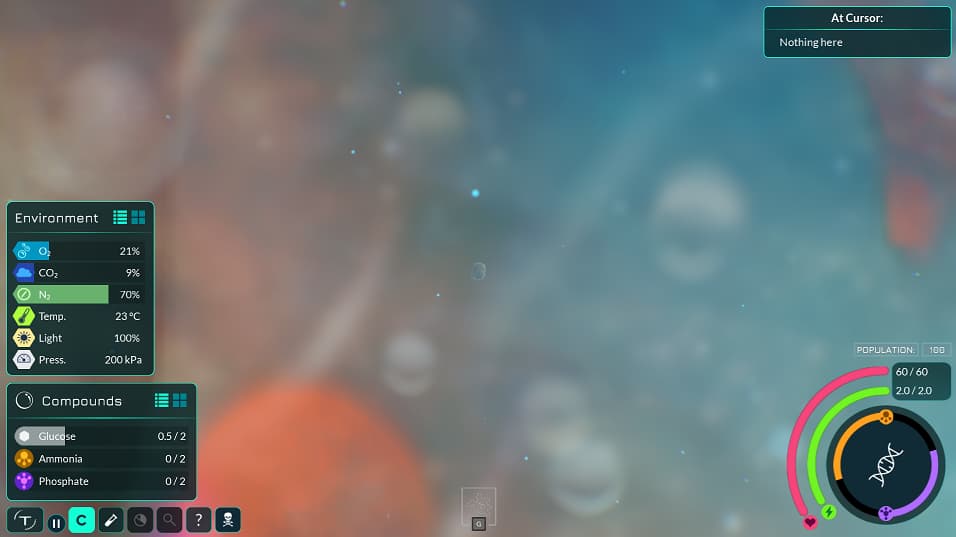
If anyone has some free time give it a try and let me know!
---
### Author:  [@hhyyrylainen](https://forum.revolutionarygamesstudio.com/u/hhyyrylainen)
#### Post date: [August 20, 2022, 9:23am UTC](https://forum.revolutionarygamesstudio.com/t/background-blur/934/8 "2022-08-20T09:23:16Z")
That screenshot at least looks to have better balance between the compound clouds and the backgrounds.